Calculate. Configure. Validate. Report.
Design On-Grid, Hybrid and Off-Grid solar systems with load estimation, inverter selection, PV string sizing, battery sizing and cable selection — all in one professional workflow.
Trusted design workflow for Solar Installers • EPC Companies • Dealers • Service Engineers
Single Phase & Three Phase
Solar + Battery Systems
Get a quick estimate of your PV string configuration and battery backup requirement using a few key inputs — before you move to the full solar plant sizing tool.
Customer details, load, location and system requirements.
Select inverter, panels, battery and system configuration.
Check PV sizing, strings, voltage, battery and cable requirements.
Create a professional customer-ready design report.
Pick a category to jump straight into that calculator.
Independent power system with batteries — with or without grid-assisted charging.
ConfigureGrid-tie plus battery backup, sized for single-phase or three-phase supply.
ConfigureGrid-export systems with no battery, for standard net-metered installs.
ConfigureSelect the inverter category to view and update the corresponding slab tables.
View and manage off-grid inverter slabs, battery ranges and standalone system ratings.
Open SlabView and manage hybrid inverter slabs for single-phase and three-phase configurations.
Open SlabView and manage on-grid inverter slabs for net-metered and grid-export systems.
Open SlabSolar Ka Guru applies standardized equipment tables and engineering-based sizing rules to help installers create consistent solar system designs.
Use defined inverter, panel and wire-rating slabs instead of manually searching through spreadsheets.
Apply the same configured design rules across projects and team members.
Reduce repetitive calculations and manual slab lookups.
Turn the completed design into a professional report.
Calculate connected and backup load.
Select the appropriate inverter slab.
Series / parallel string configuration.
Determine battery requirements.
Select appropriate cable rating.
Generate a professional PDF.
Design systems faster and reduce manual calculations.
Standardize system design across projects and teams.
Support customers with consistent system recommendations.
Quickly validate system configuration and equipment selection.
Turn your customer requirements into a complete solar system design.
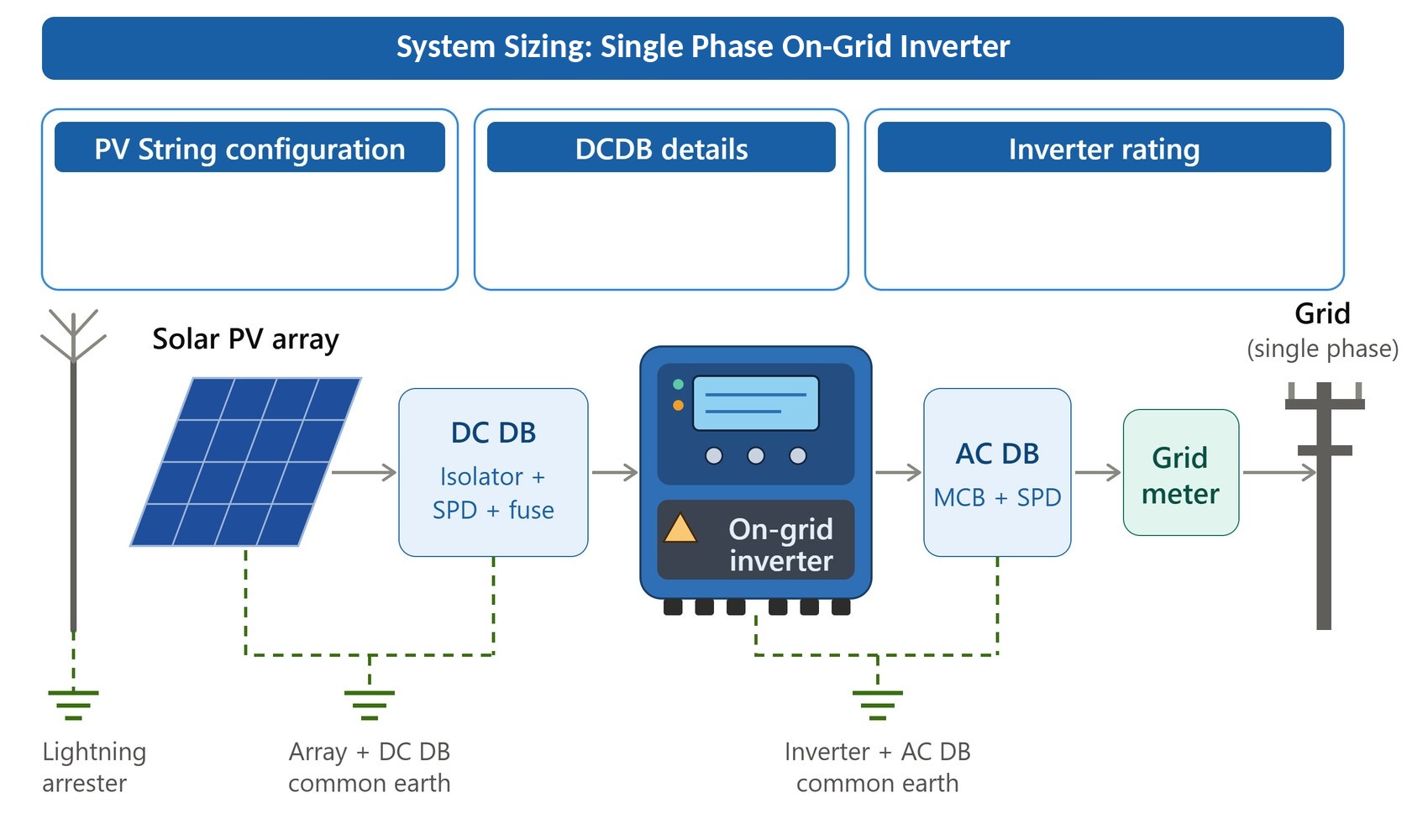
Complete system sizing with inverter selection, PV string configuration, and wire rating — exported as a branded PDF report.
Enter your monthly bill and panel wattage, then click Calculate to see your on-grid system design.
Edit lookup tables for Panel Specs, Inverter Models & Capacity Ratings
| Inverter Max Power (W) | Model Name | Full Solar Cap Max (W) | Inverter Max Voc (V) |
|---|
| Max Wattage Threshold | Actual Wattage (W) | Panel Voc (V) | Panel Imp (A) |
|---|
After making the changes → Click Generate JS Code → Click Apply to Calculator → Click Close → Reload the Website.
Click Save/Set → Click Close → Reload the Website.
Click Reset to Defaults → Click Generate JS Code → Click Apply to Calculator → Click Save/Set → Click Close → Reload the Website.
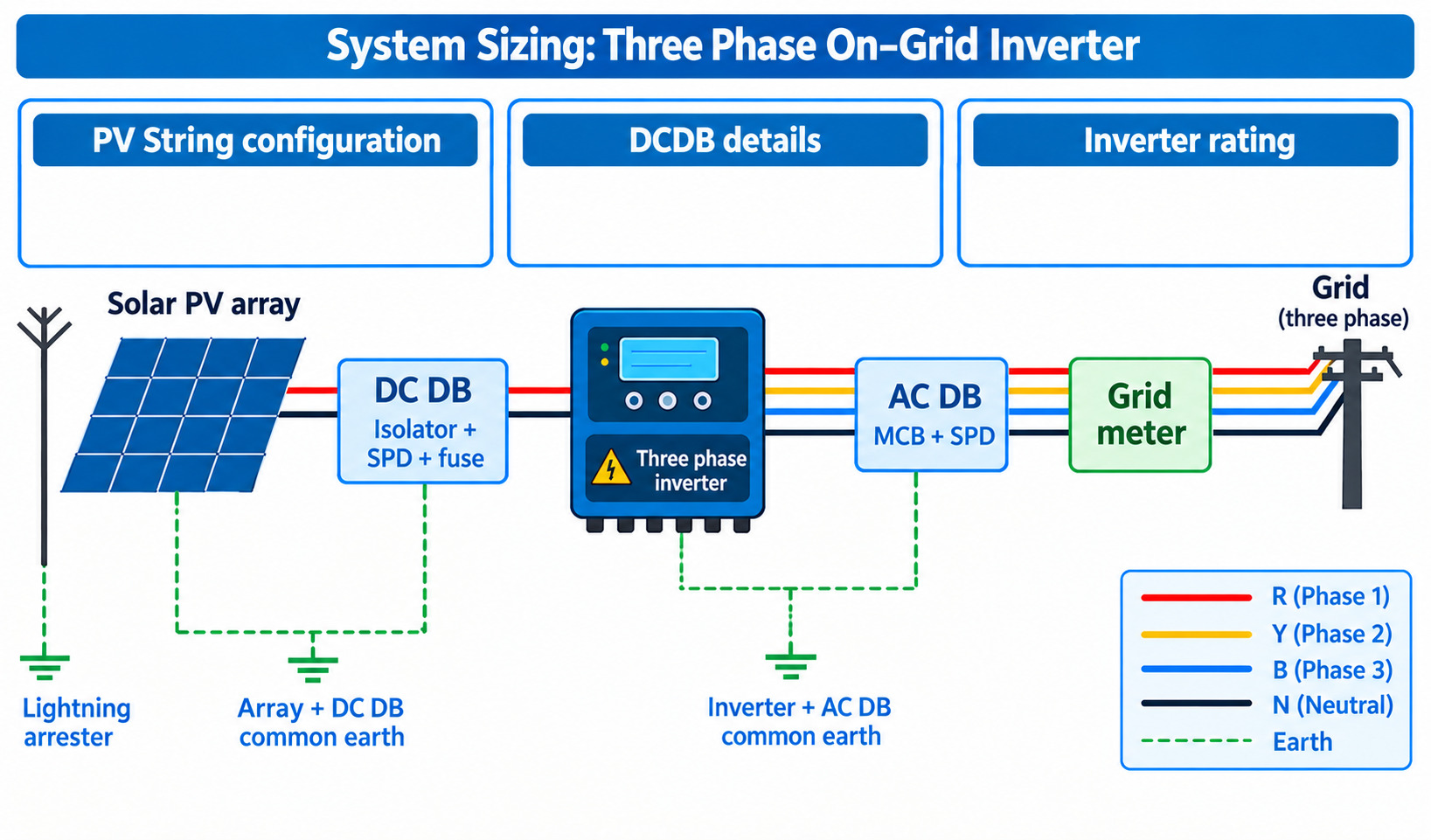
Complete system sizing with inverter selection, PV string configuration, and wire rating — exported as a branded PDF report.
Enter your monthly bill and panel wattage, then click Calculate to see your on-grid three phase system design.
Edit lookup tables for Panel Specs, Inverter Models & Capacity Ratings
| Inverter Max Power (W) | Model Name | Full Solar Cap Max (W) | Inverter Max Voc (V) | Min Voc (V) |
|---|
| Max Wattage Threshold | Actual Wattage (W) | Panel Voc (V) | Panel Imp (A) |
|---|
After making the changes → Click Generate JS Code → Click Apply to Calculator → Click Close → Reload the Website.
Click Save/Set → Click Close → Reload the Website.
Click Reset to Defaults → Click Generate JS Code → Click Apply to Calculator → Click Save/Set → Click Close → Reload the Website.
Optimal series & parallel string sizing for standard, non-overloaded PV configurations.
Enter your inverter and panel specifications, then click Calculate Configuration to see the optimal string configuration.
Optimal series & parallel string sizing with moderate panel oversizing for improved morning/afternoon yield.
Enter your inverter and panel specifications, then click Calculate Configuration to see the optimal string configuration.
Optimal series & parallel string sizing with aggressive panel oversizing for peak clipping optimization.
Enter your inverter and panel specifications, then click Calculate Configuration to see the optimal string configuration.
Estimate backup runtime for your lead-acid battery bank under connected load.
Enter your battery voltage, Ah rating, and load, then click Calculate Backup Time to see the estimate.
Estimate backup runtime for your lithium battery bank under connected load.
Enter your battery voltage, Ah capacity, and load, then click Calculate Backup Time to see the estimate.
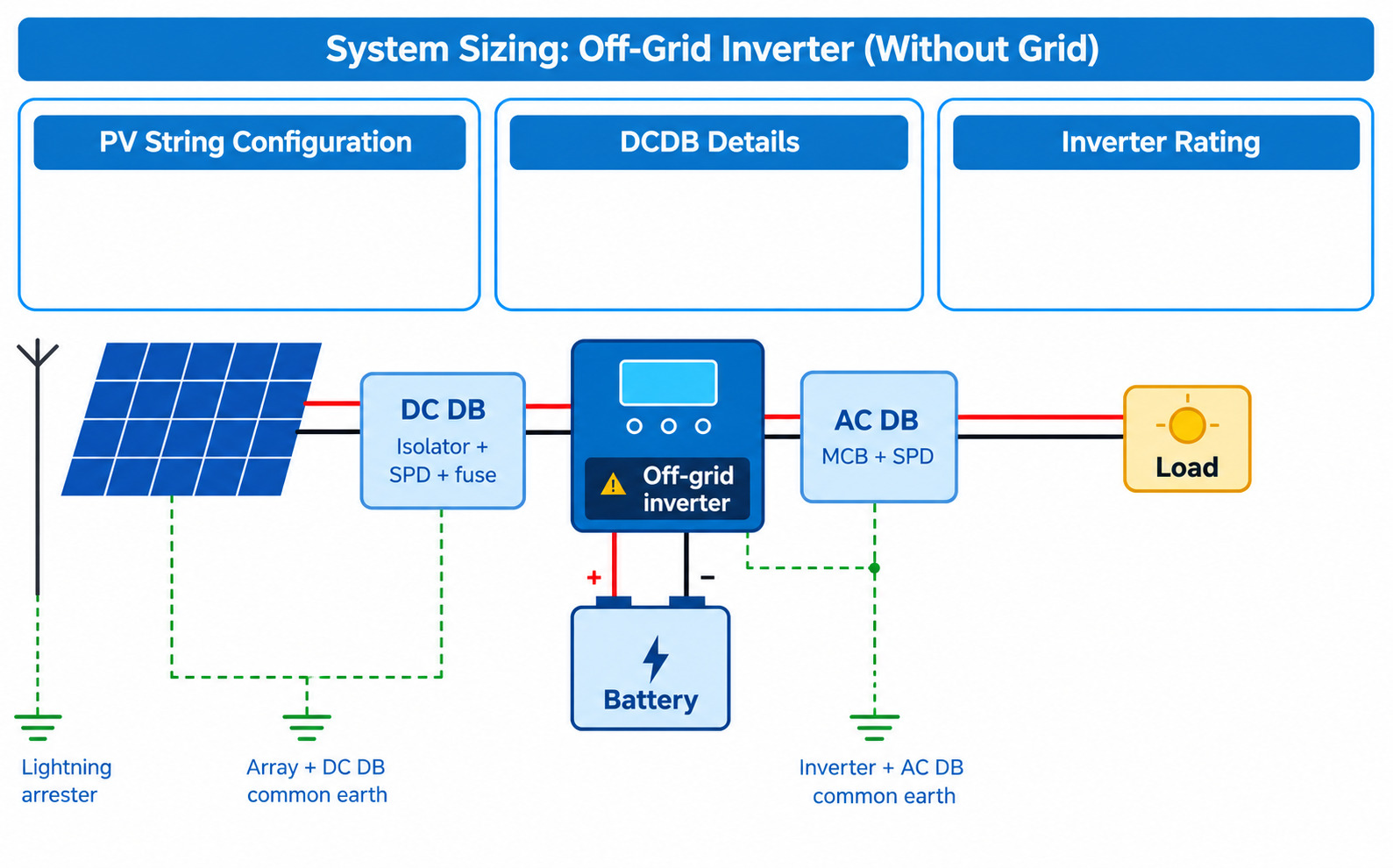
Complete solar plant design with load estimation, battery backup time, inverter selection, PV string configuration, and wire rating — exported as a branded PDF report.
Enter BACK-UP LOAD, CONNECTED LOAD, and Hours for each appliance.
BKUP QTY determines the load on the inverter. Total (WH) = QTY × Watts × Hours.
| Appliance | Back-Up Load | Connected Load | Watts | Hours | Load (W) | Total (WH) | Action |
|---|
Click the Calculate button in Step 2 to view your complete solar design, inverter ratings, and backup times.
Edit lookup tables for Inverter Ratings/Model/Max Voc and Panel Voc/Imp Specifications
| Inverter Rating (eg. 1KVA/24VDC) | Reference Power (W) | Inverter Model Number | Max Voc (V) |
|---|
| Min Wattage (X) | Max Wattage Threshold (Y) | Panel Voc (V) | Panel Imp (A) |
|---|
After making the changes → Click Generate JS Code → Click Apply to Calculator → Click Close → Reload the Website.
Click Save/Set → Click Close → Reload the Website.
Click Reset to Defaults → Click Generate JS Code → Click Apply to Calculator → Click Save/Set → Click Close → Reload the Website.
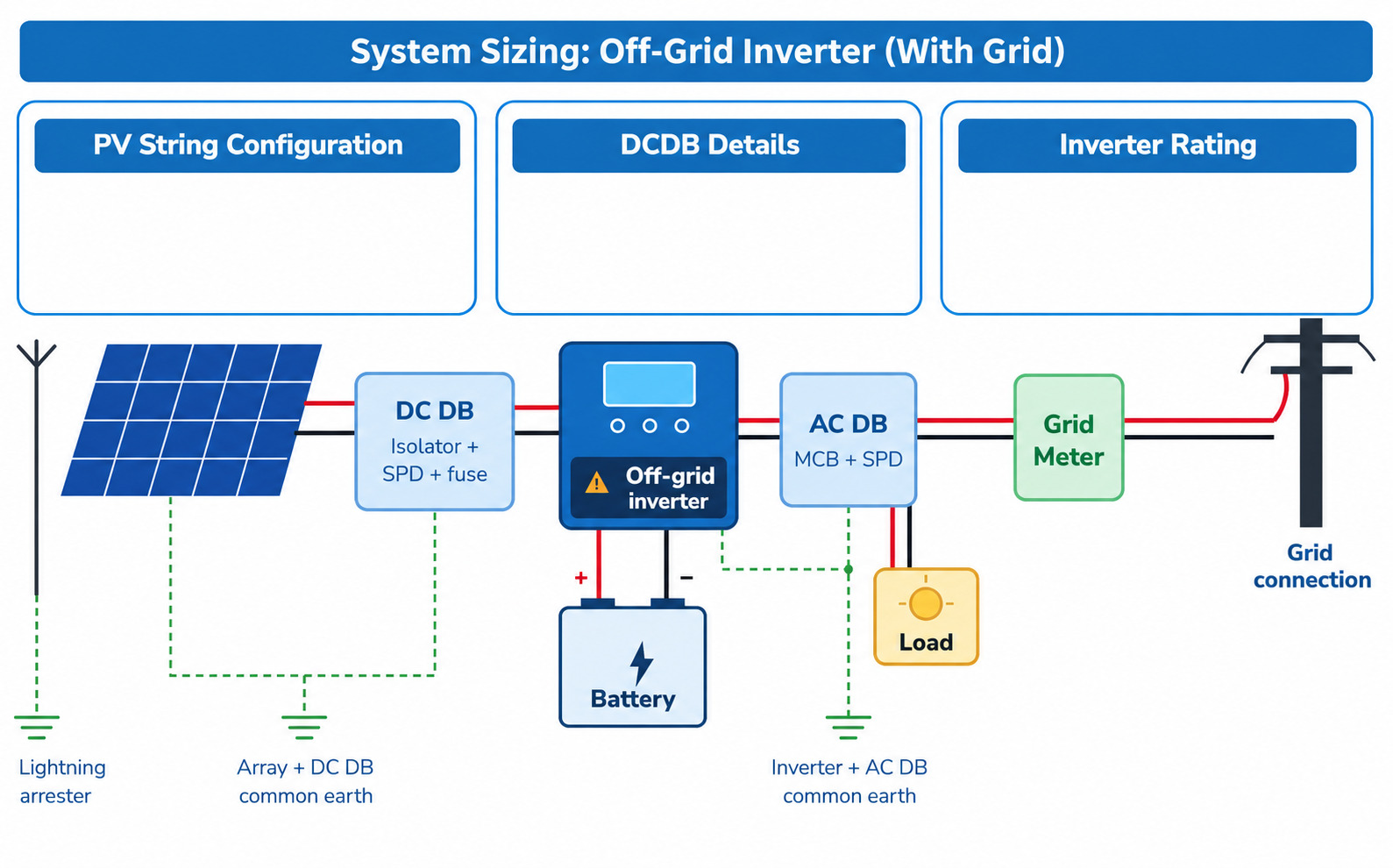
Complete solar plant design with load estimation, battery backup time, grid-assisted inverter selection, PV string configuration, and wire rating — exported as a branded PDF report.
Enter BACK-UP LOAD, CONNECTED LOAD, and Hours for each appliance.
BKUP QTY determines the load on the inverter. Total (WH) = QTY × Watts × Hours.
| Appliance | Back-Up Load | Connected Load | Watts | Hours | Load (W) | Total (WH) | Action |
|---|
Click the Calculate button in Step 2 to view your complete solar design, inverter ratings, and backup times.
Edit lookup tables for Inverter Ratings/Model/Max Voc and Panel Voc/Imp Specifications
| Inverter Rating (eg. 1KVA/24VDC) | Reference Power (W) | Inverter Model Number | Max Voc (V) |
|---|
| Min Wattage (X) | Max Wattage Threshold (Y) | Panel Voc (V) | Panel Imp (A) |
|---|
After making the changes → Click Generate JS Code → Click Apply to Calculator → Click Close → Reload the Website.
Click Save/Set → Click Close → Reload the Website.
Click Reset to Defaults → Click Generate JS Code → Click Apply to Calculator → Click Save/Set → Click Close → Reload the Website.
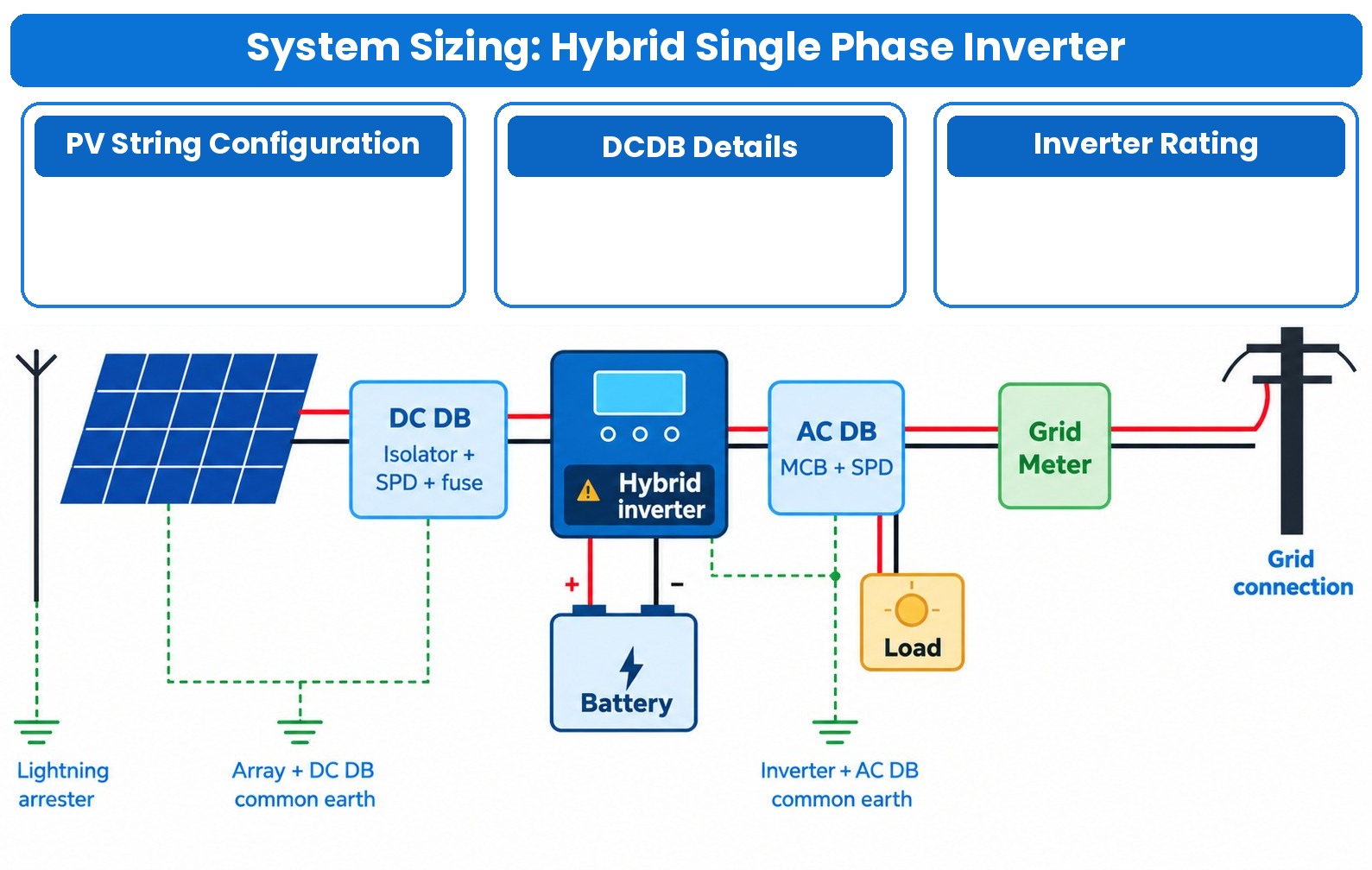
Complete solar plant design with load estimation, battery backup time, hybrid inverter selection, PV string configuration, and wire rating — exported as a branded PDF report.
Enter Back-Up Load, Connected Load, and Hours for each appliance.
BKUP QTY determines the load on the inverter. Total (WH) = QTY × Watts × Hours.
| Appliance | Back-Up Load | Connected Load | Watts | Hours | Load (W) | Total (WH) | Action |
|---|---|---|---|---|---|---|---|
| TOTAL | 0 | 0 | |||||
Click the Calculate button in Step 2 to view your complete solar design, inverter ratings, and backup times.
Edit lookup tables for Inverter Ratings/Model/Max Voc, Panel Voc/Imp Specifications, and the Ceiling Capacity → Inverter Power slab.
| Inverter Model Number | Inverter Rating (eg. 1KVA/48VDC) | Power (W) | VA | Max Voc (V) |
|---|
| Min Wattage (X) | Max Wattage Threshold (Y) | Panel Voc (V) | Panel Imp (A) |
|---|
After making the changes → Click Generate JS Code → Click Apply to Calculator → Click Close → Reload the Website.
Click Save/Set → Click Close → Reload the Website.
Click Reset to Defaults → Click Generate JS Code → Click Apply to Calculator → Click Save/Set → Click Close → Reload the Website.
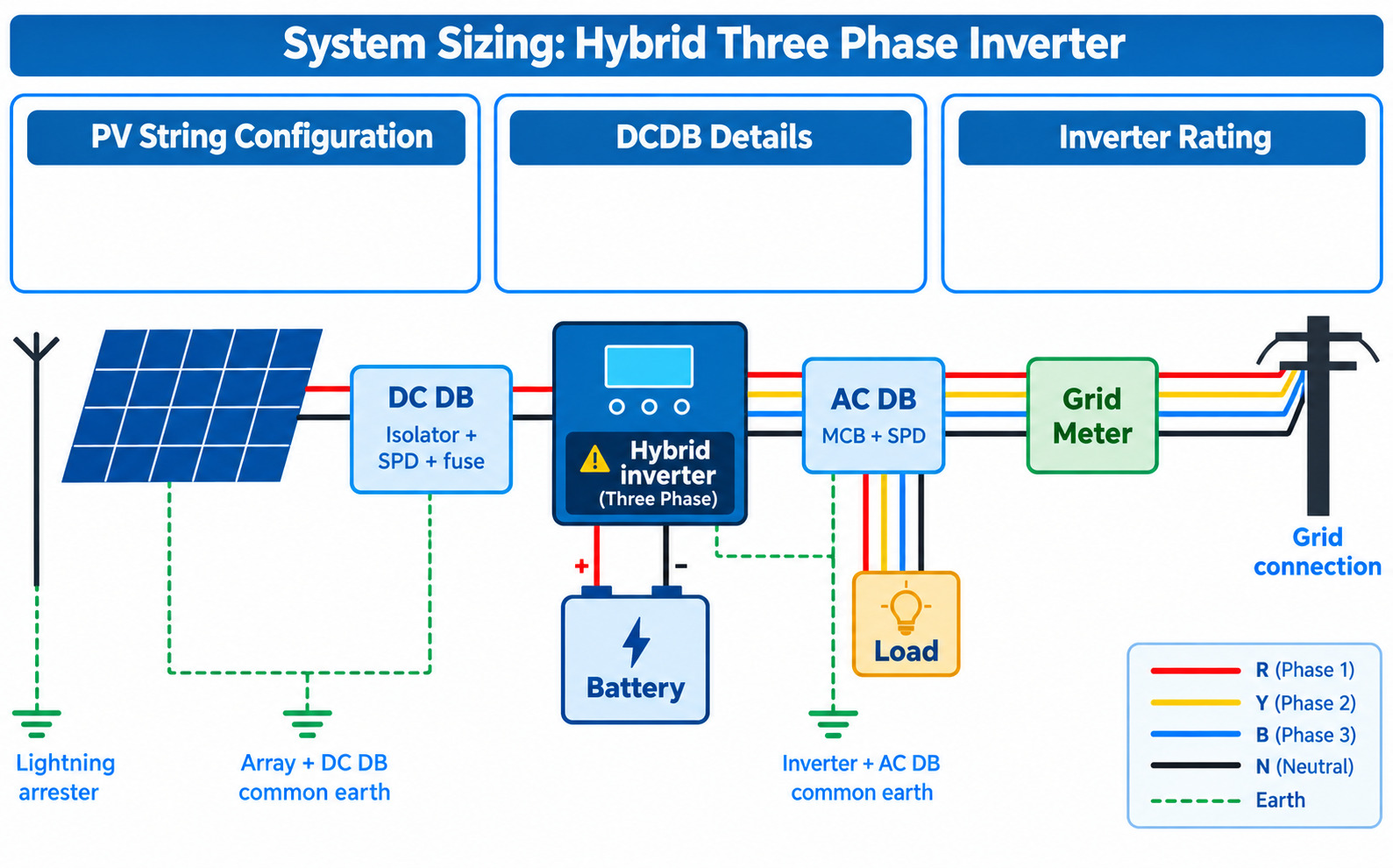
Complete solar plant design with per-phase load estimation, battery backup time, hybrid inverter selection, PV string configuration, wire rating and phase balance — exported as a branded PDF report.
Enter BKUP QTY (R/Y/B) and Connected Load QTY (R/Y/B) quantities per phase and Hours for each appliance.
BKUP QTY determines the load on the inverter. Total (WH) = Connected Load × Hours.
| # | Appliance | Special Case (Back-Up) | Connected Load | Consumption (W) |
Load Watt (Back-Up) |
Connected Load (W) |
Hours | Total Load (W) |
|||||
|---|---|---|---|---|---|---|---|---|---|---|---|---|---|
| R-Phase | Y-Phase | B-Phase | R-Phase | Y-Phase | B-Phase | ||||||||
Click the Calculate button in Step 2 to view your complete solar design, inverter ratings, backup times, and phase balance.
Edit lookup tables for Inverter Models & Ratings and Panel Specifications.
| Model Number | Rating (eg. 5KVA/48VDC) | Power (W) | Power (VA) | Max Voc (V) | Solar Capacity Max (W) |
|---|
| Min Wattage (Lower) | Max Wattage Threshold | Panel Voc (V) | Panel Imp (A) |
|---|
After making the changes → Click Generate JS Code → Click Apply to Calculator → Click Close → Reload the Website.
Click Save/Set → Click Close → Reload the Website.
Click Reset to Defaults → Click Generate JS Code → Click Apply to Calculator → Click Save/Set → Click Close → Reload the Website.